
Azure landing zone diagram
The short version: An Azure landing zone is a pre-configured, governed environment — management groups, subscriptions, shared platform services, networking and policy — that new workloads land into safely. This free, editable template shows the standard layout; open it in Calma Studio to adapt it to your organisation. Open this template →
What it shows. The management-group hierarchy at the top, platform subscriptions (identity, management, connectivity) separated from landing-zone subscriptions where workloads live, shared services (Log Analytics, Key Vault, hub networking), and the policy layer that keeps it all governed.
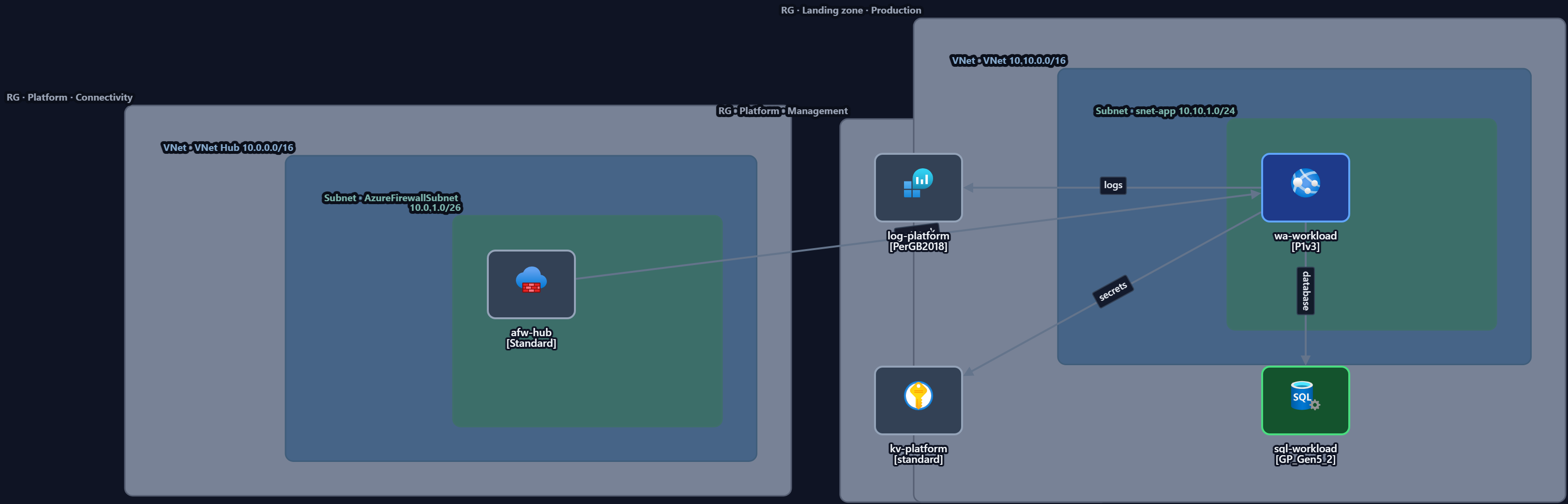
Key components
| Layer | What sits here |
|---|---|
| Management groups | Governance hierarchy above subscriptions |
| Platform subscriptions | Identity, management, connectivity (the shared foundation) |
| Landing-zone subscriptions | Where application workloads are deployed |
| Shared services | Log Analytics, Key Vault, hub VNet, monitoring |
| Policy | Guardrails applied down the hierarchy |
When to use it. When an organisation is standardising how teams get cloud environments — so every new workload inherits networking, security and governance instead of reinventing them. It pairs naturally with the hub-and-spoke network for the connectivity layer.
Make it yours. Open the template in Studio, map it to your subscriptions and regions, then export to code.
Open the landing zone template — free →
FAQ
- What is an Azure landing zone? A pre-configured, governed environment (management groups, subscriptions, shared services, networking, policy) that workloads deploy into safely.
- Landing zone vs hub-and-spoke — what's the difference? The landing zone is the whole governed environment; hub-and-spoke is the networking pattern often used inside it.
- Can I export this template to IaC? Yes — adapt it in Studio and export to Bicep, Terraform or ARM.
- Is it free? Yes, free and editable, no signup.