
AKS architecture diagram
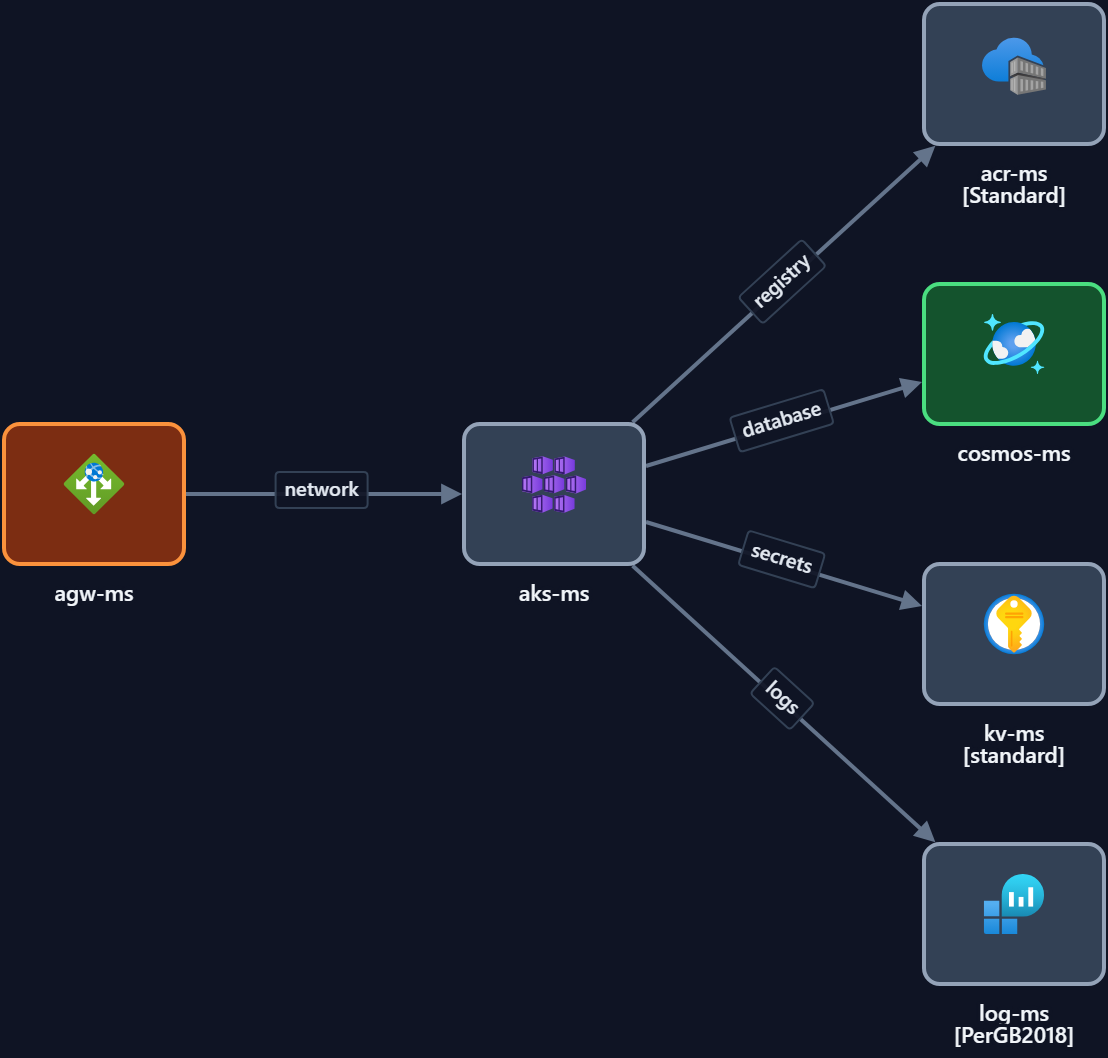
The short version: This template shows a typical Azure Kubernetes Service (AKS) architecture — cluster with system and user node pools, an ingress controller, container registry, secrets from Key Vault, and monitoring — inside a VNet. Free and editable: open it in Calma Studio to adapt it and export to Bicep, Terraform or ARM. Open this template →
What it shows. An AKS cluster deployed into a subnet, with a system node pool for platform pods and one or more user node pools for workloads. Traffic arrives through an ingress controller (or Application Gateway Ingress Controller), images come from Azure Container Registry, secrets are pulled from Key Vault via the CSI driver, and Container Insights sends telemetry to Log Analytics.
Key components
| Component | Role |
|---|---|
| AKS cluster | Managed Kubernetes control plane + nodes |
| System / user node pools | Platform pods vs your workloads, scaled independently |
| Ingress controller / App Gateway | Routes external traffic to services |
| Azure Container Registry | Private image registry for the cluster |
| Key Vault (CSI driver) | Secrets and certificates mounted into pods |
| Log Analytics / Container Insights | Cluster and container monitoring |
When to use it. Containerised microservices at scale that need full Kubernetes — custom scheduling, operators, or a large fleet of services with complex networking.
When not to. A handful of containers rarely justify running Kubernetes. Consider the Container Apps pattern for less operational overhead.
Make it yours. Open it in Studio, add your node pools and services, set regions and tags, then export to code.
Open the AKS template — free →
FAQ
- AKS vs Container Apps — which should I use? AKS for full Kubernetes control at scale; Container Apps when you want serverless containers without managing the cluster.
- Does the template include ingress? Yes — an ingress controller (or Application Gateway Ingress Controller) routing to services.
- Can I export it to Bicep or Terraform? Yes — edit in Studio and export to Bicep, Terraform or ARM.
- Is it free? Yes, free and editable, no signup.