
Azure data platform diagram
The short version: This template lays out a modern Azure data platform (lakehouse) — ingestion, a Data Lake, processing with Synapse or Databricks, and a serving layer — with governance and secrets. Free and editable in Calma Studio, with export to Bicep, Terraform or ARM. Open this template →
What it shows. Data arrives through an ingestion layer (Azure Data Factory for batch, Event Hubs for streaming), lands in Azure Data Lake Storage Gen2, is processed and transformed by Synapse Analytics or Azure Databricks, and is served to consumers (Synapse SQL, Power BI). Key Vault holds secrets and a governance layer catalogues the data.
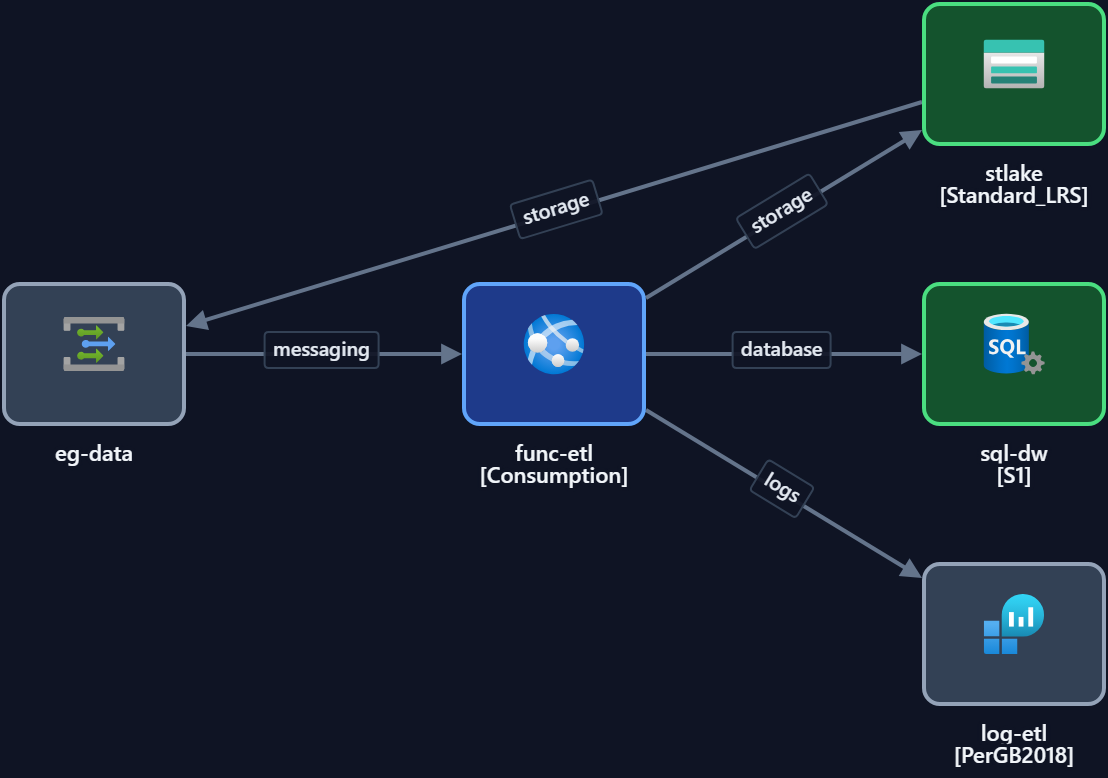
Key components
| Layer / component | Role |
|---|---|
| Ingestion (Data Factory / Event Hubs) | Batch and streaming data in |
| Data Lake Storage Gen2 | Central storage for raw and curated data |
| Synapse / Databricks | Processing and transformation |
| Serving (Synapse SQL / Power BI) | Analytics and reporting to consumers |
| Key Vault | Secrets and connection credentials |
| Governance / catalogue | Data lineage and cataloguing |
When to use it. Analytics, reporting and data-science workloads that need a central, governed store feeding multiple consumers — the lakehouse pattern.
Make it yours. Open it in Studio, choose your processing engine, set regions and tags, then export to code.
Open the data platform template — free →
FAQ
- Synapse or Databricks? Both fit this shape — Synapse is Azure-native and integrated; Databricks is strong for large-scale Spark and ML. The template works with either.
- Does it cover streaming and batch? Yes — Event Hubs for streaming, Data Factory for batch.
- Can I export it to IaC? Yes — Bicep, Terraform or ARM from Studio.
- Is it free? Yes, free and editable, no signup.